
 Twitter is a popular content hosting silo that started with short plain text notes in 2006 and over time added auto-linking URLs, @-names, replies, photo & video posts, and much more.
Twitter used to be most well known for being originally limited to 140 characters (even though actually originally it was limited to "156 minus the length of your username characters". Over 11 years later, the limitation was raised to 280.
Why
Why use Twitter? Besides all the usual social media silo reasons like "everyone is on there", see what people come up with when they ask why am I using Twitter:
How to
How to export your data
Download all your tweets
- Go to: https://twitter.com/settings/account
- near the bottom of the page there may be a "Your Twitter archive" section
- See the (Request your archive) button? Click it.
- Wait some amount of time for a link to your archive to show up in your email associated with the account.
The Twitter archive is made of per month JSON files. It can be used as a way to PESOS a whole Twitter history, even though POSSE is the recommended way to do it.
The most interesting things in the JSON twitter archive are:
- both long and shortened URLs
- "new" RTs are also written the classic Way, making easy to republish them in a PESOS way.
- every related information needed to rebuild a conversation
After you download your archive, you can update in using a Ruby Gem called GrailbirdUpdater.
Download Direct Messages
- You can use this method to download DMs from Twitter. It is complicated to set up and involves registering a new Twitter application. It can only archive about a year's worth of DMs.
Backup using t command line tool
See: https://github.com/sferik/t#using-t-for-backup
You can also export your lists with the "t" command line tool:
- List all your lists, in long format
- t lists -l
- List all the members of a list, in long format
- t list members -l following-`date "+%Y-%m-%d"`
How to unlock your account
If going to twitter.com or any Twitter profile page (e.g. @IndieWebCamp) or any tweet permalink redirects you to https://twitter.com/account/access with a message like: Your account has been locked. then your account has been locked.
If your account is locked (e.g. a new account), try:
- file a support request, explain what you did immediately beforehand, and
- reply to the email confirming your support request
Note your personal experience here so we can track how effective this is:
- 2016-10-27 @PostTypeDisc unlocked
- ...
DURING: steps you may want to take while waiting for your account to get unlocked:
- Remove Twitter from your contact page (to avoid people sending DMs that you cannot access)
- ...
AFTER: steps you should take after your account is unlocked:
- Re-authorize Bridgy (if you happen to use it)
- Go https://brid.gy/ , log in with Twitter and click the buttons on your user page to enable listening and publishing
- ...
Details:

You may have to enable JS on twitter.com and abs-0.twimg.com.


There should be no reason to associate a phone number with your Twitter account, nor use insecure SMS for verification.
 Instead, click the "Options v" drop-down in the top right and choose "Help" which should take you to: https://support.twitter.com/articles/20171312 which has a bunch of different reasons why your account may have been locked.
From that page, scroll down to where it says either:
- "If you need additional help unlocking your account, contact our support team here." or
- "If you feel that your account has been limited in error, you can appeal by contacting our support team here."
One of those two "here" links should take you to a support form so you can file a support request as noted above.
How to unfollow everyone but still read their tweets
 Ryan Barrett reads Twitter in his reader, using twitter-atom and a list, but he still regularly found himself reading inside the app anyway, due to their engagement hacking. So on 2019-10-31 he unfollowed everyone he was following. Now, he still reads tweets from people in his list, but when he opens the app (or web), it only shows him his own tweets and ads, nothing actually interesting or personalized. Success!
To do this, download your archive, extract following.js, set up twurl, then run this in a shell:
grep accountId following.js | cut '-d"' -f4 | xargs -n 1 -I %% twurl /1.1/friendships/destroy.json -d user_id=%%
Porting to the IndieWeb
Challenges
- porting over content and maintaining URL redirects
- not currently possible to redirect Twitter permalinks to your own site AFAIK. Tantek 14:33, 17 November 2012 (PST)
- porting over @-replies
- Twitter has *no* API for getting @-replies to a particular tweet. You can do it with lots of extra work, though. Bridgy does this; details and example code here.
- porting over retweets
- Twitter has an API endpoint for getting retweets of a particular tweet.
- The first 100 retweets of any particular tweet can be fetched via the API
- Twitter has an API endpoint for getting retweets of a particular tweet.
- porting over favorites
- Twitter has *no* direct API for getting favorites of a particular tweet. You can get them as they happen from the streaming API, or you can screen scrape, but neither are ideal. Bridgy has example code for both.
- API limited to most recent 3,200 tweets
- People in Europe are legally entitled to their entire twitter history, but twitter make it very difficult to get at it (requiring a fax machine!). See: How to get more than 3200 tweets from twitter
- equivalent user interface
- "twitter's editor is hard to beat though, like auto-expanding twitter handles and telling you how many characters you have left (with accounting for URL-shortening)"
- Re: "how many characters you have left (with accounting for URL-shortening)" - there's CASSIS functions for that:
tw_text_proxy($t)- given plain text for a note, it returns a string with character count that Twitter would give it, e.g. after t.co-wrapping URLs. Useful for length estimations, and doing truncation/ellipsing computations.- e.g.
280-strlen(tw_text_proxy($t))gives you # of characters left
- e.g.
note_length_check($note, $maxlen, $username)- given a string $note (e.g. the output from tw_text_proxy() above), a $maxlen (e.g. 280), and a $username (e.g. "@indiewebcamp"), it returns result codes (roughly based on / reusing from HTTP)- 200 - $note exactly fits $maxlen characters when retweeted (if $username was provided)
- 206 - $note fits $maxlen and has room to spare even when retweeted (if $username provided)
- 207 - $note fits $maxlen with room to spare, but a retweet would get truncated (if $username provided)
- 208 - $note exactly fits $maxlen and a retweet would be over and get truncated
- 413 - (entity too large) $note is over $maxlen
- Re: "how many characters you have left (with accounting for URL-shortening)" - there's CASSIS functions for that:
- "twitter's editor is hard to beat though, like auto-expanding twitter handles and telling you how many characters you have left (with accounting for URL-shortening)"
POSSE to Twitter
While Twitter is still around and you still have friends on Twitter that you want to interact with, you should post your notes on your own site, and automatically syndicate them to Twitter (POSSE them) so your friends see and can interact with those copies. This section details how.
In short, you have to either use:
- Twitter's snowflake API
- As of 2022-11, Twitter is rejecting new API access for applications used to POSSE/backfeed on the grounds that they may violate twitter’s rules and/or policies —
 Barnaby Walters
- As of 2022-11, Twitter is rejecting new API access for applications used to POSSE/backfeed on the grounds that they may violate twitter’s rules and/or policies —
- Bridgy Publish proxy (see: https://brid.gy/about#publishing for details)
- silo.pub proxy
to POSSE posts to Twitter. There are people in the IndieWeb community doing each of these.
POSSE to Twitter in general
There are particularly good ways to POSSE notes and articles to Twitter which are documented in latter sections. Here are some general guidelines for POSSEing to Twitter.
Given Twitter's limitations:
- 280 characters of content
- links are t.co'd into 23 characters for http or https links
- local user (@-name) references only
- local tag (#hashtag) references only
When POSSEing to Twitter:
- provide a permalink (or perma-short-ID for entirely fitting notes) to your original at the end of the syndicated copy
- abbreviate notes / article names to fit
- include hashtags as part of that abbreviated content (even if they're beyond the ellipsis horizon) to increase syndication based discovery/searchability of your content
- e.g.: as aaronparecki.com does
- translate indiewebsite people references into their Twitter local user @-name equivalents
Once POSSE is successful:
- construct a URL (https) for the POSSE copy tweet and link to it from the original post using u-syndication
The sections below contain details on how to do some of this for notes and articles in particular.
POSSE Notes to Twitter
For notes, you can POSSE out up to 280* characters of your note to Twitter.
POSSE entire note to twitter
For notes that fit entirely within a tweet (*including permashortcitation), you should include a post permashortcitation at the end of your tweet. Examples:
has the permashortcitation of a permashortid in a classical parenthetical citation:
- (ttk.me t4Ec3)
which is easily expanded (see related: original-post-discovery) by unparenthesizing and joining the two pieces with a forward slash "/":
ttk.me/t4Ec3
which resolves (redirects) to the original post:
Why permashortcitation
You should use a permashortcitation instead of a permashortlink at the end of tweet copies of notes that include the entire text of a note post, especially if your site lacks any additional content / UI as compared to Twitter (e.g. reply-contexts, comments-presentation, likes, reposts)
There's an unspoken convention on Twitter that a link in a tweet (especially at the end of a tweet) should provide more information.
Having an active permashortlink at the end of your tweet when all you provide on your own site is the *exact* same content is bad UX for your friends that follow you on Twitter.
Note the complaints ([1][2](response), [3](response), [4][5]) and questions[6] over time that have been raised in response to apparent linking to "duplicate" or "the same" content.
The whole point of POSSE is that you still care about your friends on Twitter (or other silos) reading you, so you should care about their UX also.
Only provide permashortlinks as part of your POSSE tweets when they link to an the original post with more content than in the POSSE tweet copy. Otherwise use permashortcitations so that your original posts are still automatically discoverable using the original-post-discovery algorithm.
POSSE abbr note to twitter
If your note (with permashortid) exceeds 280 characters, you should abbreviate your note to 256 characters (e.g. using the CASSIS ellipsize_to_word function), and then put a post perma(short)link URL at the end. Shorten to 256 characters (or shorter) because it takes 1 character for the space before the URL, and then Twitter t.co's all URLs (including yours) into 23 characters.
When shortening to 256 (280-23-1) characters, you must count other http (https) URLs within that as 23 characters. You can use the CASSIS tw_text_proxy function to automatically replace URLs in a string with 23 character proxy URLs. The return result can be used for counting how many characters the string will use as a "tweet". This is useful for e.g. evaluating ellipsize_to_word on the result, to get a length of characters that you can POSSE, and then using that to help determine how much of the original (non-proxy) string can be POSSEd.
You may want to put an ellipsis character at the end of your POSSEd note to Twitter before your perma(short)link. Be sure to leave room for the ellipsis too: instead of just 1 character for a space before your permashortlink, save 4 characters for "... ", or 2 characters for "… " (ellipsis entity character). Note Twitter now counts characters in a sensible fashion, they count codepoints in Unicode NFC: https://dev.twitter.com/docs/counting-characters. Ideally elide at a punctuation boundary (like sentence terminator or a comma - the above-mentioned CASSIS function does this too). Examples (which link to original posts after eliding with "... ")
- https://twitter.com/t/status/134793377291046912 - elided after "(" left parenthesis
- https://twitter.com/t/status/228953522123706368 - elided after "," comma
- https://twitter.com/aaronpk/status/365476652911837185 - elided at a word boundary
- ...
Exception, if your abbreviated tweet already has a ":" (colon) character at the end, there is no need for an ellipsis. Append a space " " and your permashortlink. Examples which truncate after a ":"
- https://twitter.com/t/status/184008333571801089 - truncated at ":" before more text
- https://twitter.com/t/status/179636269096247297 - truncated at ":" right before a URL
- ...
Continuing that ":" reasoning, you may also instead of an ellipsis character, use some text like "More: " or "More at:" but that likely also requires a different shortening approach, perhaps to a sentence boundary. If you're unable to shorten to a sentence boundary (e.g. a very long sentence) then you need to shorten at a word boundary and then use both an ellipsis character and more text, e.g.: "… More: {link}" to be consistent with this "More:" approach. The disadvantage of "More:" approach is that it requires more shortening to include the additional "More: " text.
IndieWebCamp community members who are doing this:
 Aaron Parecki automatically using p3k (e.g. 2013 note post, POSSE tweet)
 Tantek Çelik automatically using Falcon (e.g. 2011 note post, POSSE tweet) Explanatory posts:
 Tom Morris (e.g. (citation of note post, POSSE tweet))
- Barnaby Walters (e.g. (citation of note post, POSSE tweet))
 Kartik Prabhu e.g.
- 2015-122 like post with quotation, and manual POSSE note copy (using " more: {link}" technique)
- ... add yourself (alphabetically) if you have this working
POSSE Notes to Twitter Pseudocode
This is pseudocode based on Barnaby Walters’ php-helpers package, specifically BarnabyWalters\Posse\Helpers class.
Assume that to start with you have some HTML markup representing the content of the note ($text), the canonical URI to link back to from the syndicated tweet ($url) and an optional in-reply-to url associated with the note ($inReplyTo).
- Convert any HTML in $text to twitter-like plaintext syntax, or strip it
- Truncate $text such that, once all URLs contained within it are replaced with URLs of the current t.co length (23) there are enough characters left to contain the canonical URI with brackets around, or preceded by and ellipsis if any truncation has occurred
- Trim $text
- Append a space and $url, surrounded with brackets if no truncation has occurred or preceded by an ellipsis if truncation has occurred
- Create a hashtable representing the body of the POST request to send ($tweet)
- Set $tweet['status'] to $text
- Check to see if $inReplyTo is the URI of a tweet (see line 58)
- If it is, grab the ID
- Set $tweet['in_reply_to_status_id'] to the ID
- Send an authenticated POST request to the relevant API endpoint with the contents of $tweet as a urlenoded body
POSSE note with photos to Twitter
If your note has photos, e.g. auto-embedded JPG/PNG etc. URLs, consider POSSEing those photos (first four if any, per Twitter photo-attachment limitations) as image uploads associated with your POSSEd text note.[7]
IndieWebCamp community members who are doing this:
 Jeena Paradies e.g. https://jeena.net/photos/156
- POSSE tweet with photo: https://twitter.com/jeena/status/619928034179706880
- Aaron Parecki since 2014-05-06
POSSE Articles to Twitter
Similar to POSSEing a note, you can POSSE an article to Twitter, but instead of the first 280 characters of the post, you should POSSE the first 280 characters of the entry name (title) of the article, followed by optionally a ":" character (unless the entry title already ends with punctuation), then a space " ", then the perma(short)link to your original post, and optionally one or more hashtags you used in the article. Examples:
- https://twitter.com/t/status/21599383183 (no colon between tweeted title and blog post permalink)
- https://twitter.com/t/status/24915461441 (entry title ends with punctuation, no ":" needed)
- https://twitter.com/t/status/10572648543162368 (colon between tweeted title and blog post permalink)
- https://twitter.com/aaronpk/status/973350110334615552 (colon between tweeted title and blog post permalink)
- https://twitter.com/aaronpk/status/869586042772275200 (hashtag between tweeted title and blog post permalink)
- https://twitter.com/IndieWebSummit/status/877972686411935745 (hashtag between tweeted title and Aaron Parecki blog post permalink)
- https://twitter.com/100daysindieweb/status/847601902099374080 (hashtag is from the title of Aaron Parecki's article)
- ...
Alternatively, you can write a short note about the article and POSSE that instead. Examples:
IndieWebCamp community members who are doing this:
- User:Aaronparecki.com (e.g. (citation of article post, POSSE tweet))
- User:Tantek.com (e.g. (citation of article post, POSSE tweet))
- User:Tommorris.org (e.g. (citation of article post, POSSE tweet))
- User:Waterpigs.co.uk (e.g. (citation of article post, POSSE tweet))
- User:T37.net (e.g. (citation of article post, POSSE tweet))
- ... add yourself (alphabetically) if you have this working
POSSE Replies to Tweets
Similar to POSSEing a note to Twitter, when POSSEing a reply to a tweet, you also set the in_reply_to_status_id field in the API call to the URL of the tweet that your note is in reply to, to enable the threading UI and presentation on Twitter.com.
You can use this regular expression to extract tweet IDs from tweet URLs:
/https?:\/\/twitter.com\/[a-zA-Z0-9_]{1,20}\/status\/([0-9]*)/
Examples, i.e. IndieWebCamp community members who are doing this:
- User:Waterpigs.co.uk with Taproot (example)
- User:Aaronparecki.com with p3k (example)
- User:Tantek.com with Falcon (e.g. reply post, POSSE tweet)
- User:Tommorris.org with Ferocity (e.g. reply post, tweet)
- User:Snarfed.org with WordPress via Bridgy (snarfed.org/responses#replies)
POSSE Replies to Twitter
original has POSSE tweet
If the original indieweb post that you're replying to has a POSSE tweet copy:
When posting a comment which is a reply to another indieweb post, the POSSE tweet of your comment should attempt to set the in_reply_to_status_id to the POSSE tweet of the indieweb post you're replying to.
This is similar to how you POSSE Replies to Tweets but with one extra step to discover the POSSE tweet of the original post:
- You can discover the POSSE tweet of an indieweb post by look for a u-syndication hyperlink from the indieweb post to a tweet.
- For more details, see: How to POSSE a reply
See also: in-reply-to, comments.
original lacks POSSE tweet
If the indieweb post (or other URL) has no equivalent POSSE tweet and is not a tweet URL itself, then there are two possibilities, depending on whether your reply is "self-contained" enough to be meaningful without the context of what you're replying to.
Replies that do need the context of the original to make sense:
- Start your POSSE tweet with the @-name of the author of the indieweb post.
- E.g. use a nicknames-cache to automatically determine the @-name from the original post's domain name.
- Use common reply phrasing like "re: "
- Followed by the permashortlink of the original indieweb post
- linebreak - optional, but takes no more characters than a space, and helps separate the "re:" phrasing from your actual reply content
- your reply content as much as will fit per previous ellipsing analysis
- permashortlink to the rest of your reply, or permashortcitation
IndieWeb Examples of replies to indie web posts without POSSE tweet (with POSSE reply copy nested):
- http://tantek.com/2015/162/t2/indieweb-ui-ux-sketch-build
- http://tantek.com/2015/162/t3/reply-three-deep
IndieWeb Examples of replies to silo posts/comments without POSSE tweet (with POSSE reply copies nested):
- http://tantek.com/2015/260/t3/donated-books-goodwill
- Twitter: https://twitter.com/t/status/644705364961796097
- Facebook (into the in-reply-to context) https://www.facebook.com/tantek.celik/posts/10101883746673363?comment_id=10101883803689103&reply_comment_id=10101890274751043
If your reply is meaningfully "self-contained" enough to be relevant to your Twitter readers:
- write your reply in a such that you can reference the indieweb in-reply-to URL as a reference inline
- end with your permashortlink or permashortcitation as you would for your POSSE notes.
IndieWeb Examples of this:
Another alternative for meaningfully self-contained replies is to include the non-Twitter in-reply-to URL as the last thing before your permashortlink in the POSSE tweet copy of your reply so Twitter can potentially show context of the in-reply-to URL in the POSSE tweet copy of your reply.
- IndieWeb reply example: https://jeena.net/notes/97
- POSSE tweet copy: https://twitter.com/jeena/status/436675022443511808
Lastly, another option is to not POSSE replies to indieweb posts which themselves lack POSSE copies. IndieWeb community members have also found joy out of site-to-site replies that never hit Twitter, and thus reflect another level of independence.
POSSE Reposts of Tweets
When posting a repost of a tweet, the proper POSSE behavior should be to do a native retweet (on Twitter) of the tweet that you're reposting on your own site.
Examples of reposts of tweets:
- User:Snarfed.org with WordPress via Bridgy (snarfed.org/responses#retweets)
 Kyle Mahan: https://kylewm.com/share/2014/05/22/1
If you repost a retweet, the proper POSSE behavior is to do a native retweet of that retweet permalink (not the original tweet permalink).
Example repost of a retweet:
- Kyle Mahan: https://kylewm.com/2015/06/repost-of-detlef-kreuz-rt-tarr11-i-want-indieweb
- POSSE retweet permalink: https://twitter.com/kylewmahan/status/615185116214628352
POSSE Reposts to Twitter
When you do a repost of an indieweb post:
- look for a u-syndication hyperlink on the indieweb post permalink page to twitter.com
- if there is such a u-syndication hyperlink with href linking to a tweet URL
- then
- do a native retweet of that tweet URL on Twitter itself
- else
- end if
POSSE Favorites of Tweets
When posting a favorite of a tweet, the proper POSSE behavior should be to natively favorite (on Twitter) the tweet that you're favoriting on your own site.
Examples:
POSSE Favorites to Twitter
When you post a favorite of an indieweb post:
- look for a u-syndication hyperlink on the indieweb post permalink page to a tweet
- if there is such a u-syndication hyperlink with href linking to a tweet URL
- then
- natively favorite that tweet URL on Twitter itself
- end if
POSSE Follows to Twitter
When posting a follow of either a Twitter profile (@-name), or of an indieweb site that has has a verified (bidirectional) rel=me to a Twitter profile (@-name):
- have your server call the Twitter API to follow that Twitter profile (@-name)
- Bridgy Publish feature request (to call Twitter API on your behalf for this): POSSE following/friending someone new #550
POSSE Updates to Twitter
Twitter does not support updating / editing posts, thus to POSSE an update to a post, you must delete the current POSSE tweet and post a new POSSE tweet accordingly.
See this for details on POSSE updates to Twitter (and other non-editable destinations):
See also:
- Bridgy issue 84: allow updating or deleting a published post (add a comment if you are looking to implement this, would find this useful)
POSSE Deletes to Twitter
Twitter supports deleting posts, thus to POSSE a delete of a post, you must call the Twitter API (or add a comment to this issue 84 request for Bridgy let you delete POSSE copies!)
See this for details on POSSE Deletes to Twitter:
Backfeed from Twitter
If you POSSE to Twitter, consider also backfeeding (formerly called "reverse syndicating") the responses to your POSSE copies.
Reverse Syndicating At-Replies
Per the POSSE model, you may want to reverse-syndicate @-replies on Twitter to the tweet-copies of your post as "comments" back into your post permalink page on your own site.
You can use the Bridgy backfeed service to automatically receive Webmentions when people @-reply to your tweet copies.
Note that Brid.gy can link to more than one URL in Twitter. You can put an additional URL in the Bio field of the profile, in addition to the one in the website field.
Reverse Syndicating Other Responses
Using the Bridgy backfeed service, you can also automatically receive Webmentions when people on Twitter like or retweet your tweet copies. When you receive these webmentions, display them as likes and reposts on the permalink of your content on your own site.
Features
Twitter provides the following features currently:
- signup & login with a email address, user chosen username, password, and optional 2FA (two-factor authentication) via SMS or Twitter Mobile Native App.
- follow, mute[8], and unfollow[9]
- reader UI
- integrated create UI with prompt "What's happening?"
- composite stream of subset of posts from those you follow (including some posts they repost or like), promoted posts, and other promotions
- who to follow
- trends
- can hide retweets from individual accounts in your feed: https://help.twitter.com/en/using-twitter/retweet-faqs (How do I turn Retweets off?)
- post a note or reply (optionally attaching 1-4 photos (max 5MB), 1 video or 1 animated GIF [10]) optionally people-tagged) at a permalink with:
- create tweet UI with
- character count display, live while entering text - actually characters remaining since Twitter has a 280 character per tweet limitation
- deduplication by disallowing exact same tweet text to be posted on same day.
- autolinking of URLs, @-names, #-hashtags in note/reply
- link-preview of (only one, the last, in contrast to what Twitter docs claim) URLs in note/reply, including autoembedding of YouTube and other whitelisted media hosting sites. See Twitter Cards for details.
- retweets count
- favorites count
- comments-display (@-replies to it)
- location (per user privacy preferences)
- venue via Foursquare integration[11][12]
- reply-context of in-reply-to tweets up through the start of the thread
- author buttons: Delete post, Pin post to top of profile
- web actions for others to Reply, Retweet, Favorite
- citation UI to share tweet via email, or copy/paste as a blockquote
- promote tweet
- create tweet UI with
- repost (called "retweet" on Twitter) and unretweet others' tweets
- quote tweet - a reply variant available in their "retweet" UI that displays the reply-context of the entirety of the original tweet below the reply text. since 2015-04-06[13]
- like (called "favorite" on Twitter) and unfavorite any tweet
- likes are listed in reverse chronological order based on the publication date
- privately bookmark any tweet
- bookmarks are listed in reverse chronological order based on the date you added them
- post a mixed collection at a permalink of notes and replies (what Twitter calls custom timelines)
- direct message
- to anyone who is following you
- and those who opt-in to anyone
- view or delete your previous private messages sent and received as conversations per person
- show count of unread messages
- to anyone who is following you
- search
- all posts on Twitter
- authors (people) of posts
- promoted hashtag
- follow search (limited rollout as of 2017-08-25)
- notifications (see Twitter notification viewer details) of when others
- profile page (equivalent of indieweb homepage) configuration including
- header image
- icon
- name (as displayed next to tweets)
- 160 character bio
- location (plain text field)
- website (supports rel-me)
- joined - month and year
- birthday (as of 2015-07-06) - day and month, and optionally year visible to Public, followers, people you follow, follow each other, or only yourself.
- photos and videos embed ("n photos and videos", 6 thumbnails)
- who to follow - shown when you view your own profile with:
- 3 suggested users to follow, and links to:
- popular accounts
- find friends
- followers you know - shown when other logged in users view your profile
- trends - location specific or global service-wide trending topics
- verified profiles for some users
- promoted account
- settings - lots of account settings, including:
- Facebook connection to POSSE tweets to there
- private account - toggle all posts public, or all private, then requiring approval for every follow request
- ... add more setting descriptions here.
- lists - manage multiple lists of Twitter users:
- viewing a list stream shows only tweets from those users
- can be private or public
- . . .
- Twitter for Websites for web developers to use on their own sites
- embedded Tweets (no indieweb equivalent yet)
- embedded timelines (tweets from a profile, list, collection, or search result) (no indieweb equivalent yet)
- Tweet button (similar to a "post" webaction)
- Follow button (like a "follow" webaction)
- API for developers including
- Twitter Cards
- Sign in with Twitter
- ... and more
2006 original
At launch, Twitter provided the roughly following features:
- signup & login with a email address, user chosen username, password
- follow and unfollow[16]
- reader UI with an integrated UI to:
- post a note at a permalink
- profile page (equivalent of indieweb homepage) configuration including
- icon
- name (as displayed next to tweets)
- location (plain text field)
- 160 character bio
This list may be incomplete/imprecise and was done from ~8 year old memory. Please update if you have documentation of specifics!
Screenshot of 2006 sign-in / sign-up screen:

Embedding Tweets
Twitter offers copy/paste embed markup on its site that allows one to embed the appearance/text of a tweet in one's own page, as well as oEmbed option. As both the oEmbed and the embed markup include the text of the tweet in a blockquote, if Twitter shut down, this could continue to display the text minus the appearance.
Photo Attribution
When a Twitter user includes a link to someone else's photo on Twitter, the Twitter website shows the photographer's name and Twitter account under the photo.

(Note: the attribution only appears in-stream, not on the Tweet permalink)
2006-11-14 additions
On 2006-11-14 Twitter introduced several features:
- web actions on Tweets (then called "Twitter updates" / "Twitters")
- direct message anyone who is following you and
- view or delete your previous private messages sent and received as conversations per person
- show count of unread messages (likely added at same time, but may have been a later enhancement)
- search over
- authors (people) of posts
Replacing
If you recreate these features on your own site, including POSSE support to Twitter for each, then you no longer have any need to directly use Twitter.
To fully replace your usage of Twitter you must also support (roughly ordered by importance, expected frequency of usage)
- import your pre-indieweb tweets to your own domain (accessible via your own site navigation, search, archives).
- on a tweet permalink: (e.g. that you navigated to from a link elsewhere)
- click "Reply", "Retweet", or "Favorite" and have the action go to your site instead (which then POSSE's it back to Twitter).
- on a Twitter profile page (e.g. that you navigated to from a link elsewhere)
- click "Follow" or "Unfollow" and have the action take place on your site instead (which your site could POSSE sync to Twitter as well)
- expanded search for all the use-cases that you currently use Twitter search for. This is likely different for different people and is thus open to some interpretation. Here are some specifics to support search to replace your usage of Twitter. Support search of:
- all posts of from everyone who has posts on your site (just you if you're the only author)
- only posts from those you follow in your reader (or just your posts if you lack a reader)
- only posts with media (e.g. photo or video even if just auto-embedded)
- only "top" posts (make up your own meaning of "top" as Twitter's is undefined)
- only posts with location info that are "near you" (make up your own meaning as Twitter's is undefined)
- authors (people) of posts on your site (just yourself if you only show posts written by you)
- all posts of from everyone who has posts on your site (just you if you're the only author)
The end result is that all your interactions with Twitter and Tweets via your own site need to be at least as seamless as Twitter's UI (so you'll use your own UI instead).
Clients
Twitter has several clients that all have a fairly complete implementation of the above features:
- web: http://twitter.com/
- mobile web: http://m.twitter.com/
- native apps on MacOS (e.g. TweetDeck), and mobile platforms iOS & Android
- SMS - you can sign-up for Twitter and do most actions via SMS. See Twitter SMS syntax research.
iOS client
See full article: Twitter-API
The Twitter iOS client has an option to use a different API root, "intended for a Twitter proxy server"
It may be theoretically possible to re-implement enough of the Twitter API on your own site to set your own site as a "Twitter proxy server" and thus use the Twitter client as a client to post directly to your own site (and perhaps read from it as well).
Issues
Correctable issues with Twitter.
Fails to hide blocked comments
If you block someone on Twitter (e.g. for abuse), their @-replies still show-up on your tweet permalinks when viewed by other people!
Blocking only hides their @-replies from you.
E.g. if your tweets are public, then any random person (not logged in) viewing your tweets will see abusive @-replies (even though you've blocked them).
See: block#Twitter_fails_to_hide_blocked_comments for details and screenshots.
Photo Upload Size Limit
Twitter seems to only allow photos up to 5MB in size.
If you attempt to upload a photo >5MB via the API (e.g. by using Bridgy) you will get a 400 error and a message like:
"Image file size must be <= 5242880 bytes"
In the JSON error structure that is returned.
Related:
Broken Without JS
Some of Twitter's #Features are now (as of 2015-01-08 or before) broken or completely non-functional when JavaScript fails to load or is disabled.
- follow button on profile broken. (Follow) button does nothing on profile pages, e.g. https://twitter.com/upcomingorg
This is solvable by following modern progressive enhancement web development techniques.
Dogfooding Fail
In a piece Does Twitter's exec team even use Twitter? (April 2015), a web developer (@sidawson) found that 7 of 11 top Twitter executives tweet less than once a day, and most did not use the service before working at Twitter.
This is solvable by having their exec team actually actively use Twitter.
New accounts locked for no reason
Newly created Twitter accounts (as of some time in 2016) are locked very shortly after being created.
E.g.:
- 2016-10-27 @PostTypeDisc:
Currently this seems to be mostly a time-wasting inconvenience.
spammy cross-posting to facebook
This may be a side effect of both Twitter and Facebook doing arbitrary photo cropping (FB likes square images, Twitter likes 16:9 wide ones, both often crop rather than fit to space with background).
Kevin Marks posted screenshot of Facebook to twitter.

When this was replicated to facebook by Twitter's app it looked like this:

cropping the screenshot and requiring a clickthrough back to twitter to make it readable, with explicit text added by Twitter when cross-posting:
Get the whole picture - and other photos from Kevin Marks
Emphasis added - which implies deliberate behavior of a spammy sort (using your cross-post to advertise broader use of Twitter than just that one permalink).
Correctable by fixing cropping issue and spammy text copy.
Email Identity Removal
This 2013-05-17 screenshot seems to demonstrate an odd interaction and vulnerability on Twitter:

Screenshot shows a logged in Twitter profile page (http://twitter.com/t) with a yellow warning box just below the global black toolbar that says:
New email address required. Twitter has removed the email address from your account, by request of the email owner.
Please enter a new email address where you can be reached. Learn more ›
Hyperlinks as present in original. No such warning on m.twitter.com equivalent page when logged in (i.e. on a mobile device).
It's not clear how this happened, how the email address was revoked, how to avoid having it revoked in the future etc.
Appears to be an identity threat/vulnerability.
Related posts:
- http://tantek.com/2013/137/t3/scary-twitter-warning-removed-email-from-account
- http://tantek.com/2013/137/b1/ux-learn-more-links-warning-boxes-three-things
Cannot change username when account is suspended
If your account is suspended, you cannot change your username. If you attempt to change your username, the web interface sometimes partially reflects the change, and a file json.json is downloaded containing the text:
{"errors":[{"code":64,"message":"Your account is suspended and is not permitted to access this feature."}]}
Misprioritizing reply notifications
Per 2016-03-10  Kevin Marks Twitter's Tragedy of the Comments:
The most egregious of these was making @ replies the primary notification, and the Big Red Number on the app on iOS. Suddenly, it was another email inbox where others' priorities were ranked above your own choices.
This may be resolvable by providing an option to only show e.g. unread direct messages as the Big Red Number, instead of all notifications, replies, @-mentions etc.
Sells malicious ads
2018-01-08 : Twitter Allowed Hackers To Run An Ad On Its Platform That Pretended To Come From Twitter Itself (archived)
Breaks RelMeAuth
Around 2018-05-21, Twitter changed profile pages to load with Javascript. As a result the rel-me links no longer appear in the source HTML so it cannot be used for RelMeAuth.
When Javascript is disabled, twitter.com shows the message "We've detected that JavaScript is disabled in your browser. Would you like to proceed to legacy Twitter?" Clicking "Yes" takes you to mobile.twitter.com.

Criticism
Bad or failing behavior on the part of Twitter that is unlikely to be resolvable. Roughly sorted by most problematic / frequently so first.
Is it something that there's a possible and likely way that Twitter can resolve it? Add it to #Issues instead
Data protection / PII Capture
Twitter can lock accounts due to vague terms and conditions, including text such as
> Your account appears to have exhibited automated behavior that violates the Twitter Rules
This is with a vanilla account with < 15 minutes on the platform using only a web-browser (Google Chrome) with no ad-blocking or deliberate interference with Twitter.
The account has < 10 tweets and follows people of left-leaning political beliefs.
Despite the apparent violation of terms and conditions, providing a valid phone number will unlock the account with support forms demanding to know full name as well.
Poor handling of abuse
Twitter unfortunately has a long, well documented, history of poor handling of abuse, from:
- 2018-12-19[17]
- A research study by Amnesty International found female journalists and politicians face abuse on Twitter every 30 seconds.
- 2008-05-22: Twitter refuses to uphold Terms of Service
to
Twitter's UX now makes it easier to post abusive content, than protect oneself from the same.
Past behavior here shows it is unlikely Twitter has sufficient incentive or ability to solve this problem.
Developer Relations
Twitter built their entire business on top of the developer community. Almost all Twitter features were originally from Twitter clients, such as Retweets and Hashtags. Closing sections of their API and RSS feeds has made the developer community lose trust in Twitter.
- 2015-03-15 Sarah Kessler / FastCompany: Twitter Only Gave Meerkat 2 Hours Notice Before Cutting Access To The Social Graph via [18]
- 2014-11-24 Marco Arment: New Twitter search API won’t be available to third-party clients
- 2014-10-21 Summary tweet criticism with an image of Lucy holding the football for Charlie Brown as a metaphor for Twitter offering new tools for third party developers:
Twitter to Offer New Tools for App Developers

— Joël Franusic (@jf) October 21, 2014
- 2014-10-20 Marco Arment: Twitter’s “peace offering” to developers is meaningless
Unlikely that Twitter will take any actions to resolve this long term trend.
Lack of Communities
- Alex Gaynor discusses his problems with twitter, which mostly center around the inability to define and interact within a self-moderating community, unlike most other social media (and IRC).
Twitter has no mechanisms for [defining a community]. Every user floats by themselves, interacting with who they please. This denies us the ability to build communities, to set social norms, and to enforce them. Twitter has absolutely no way for me to share with others that someone isn't a person I want in my communities
Lack of usernames
Per https://twitter.com/webster/status/697984790323007488 the suggested usernames have become seemingly random long strings of letters and numbers:

Amplifies low value content
As criticized in this tweet (ironically)
- https://twitter.com/AbrasiveGhost/status/639601942973562880
SON: Dad whats Twitter
ME: u know when one dog barks & every single one in the area starts howling?
SON: ya
ME: its like that but all day
Retweets encourage viral and angry content.
One way to mitigate this is to turn off retweets from individual accounts in your feed: https://help.twitter.com/en/using-twitter/retweet-faqs (How do I turn Retweets off?)
Suspension of accounts that mention fediverse/mastodon services
As of 2022-12-16, Twitter is now reportedly blocking links to Mastodon servers and other fediverse-based services like Pixelfed as "potentially harmful", and suspending users who attempt to post links to fediverse-based profiles. The JoinMastodon account has also been suspended.
- https://c.im/@darren/109521829258011369
- https://twitter.com/zsoltsandor/status/1603688866329804804
- https://techcrunch.com/2022/12/15/elon-musk-suspends-mastodon-twitter-account-over-elonjet-tracking/
Users who pointed out how to evade the blocks preventing links to Mastodon (e.g. changing capitalisation of the URL, adding URL parameters) have also reported being suspended.
2022-12-18 : Promotion of alternative social platforms policy (archived)
- The official Twitter Support account posted on 2022-12-18 (archived) about the new "Promotion of alternative social platforms policy" and linked to this new Help page for it. Within the day, this Help page appears to have been deleted (404) and the Twitter thread deleted.
Downtime
Live: http://downrightnow.com/twitter
Most recent first:
Outage 2022-12-28
- 2022-12-28: SFGate: Twitter’s website is glitching out around the world
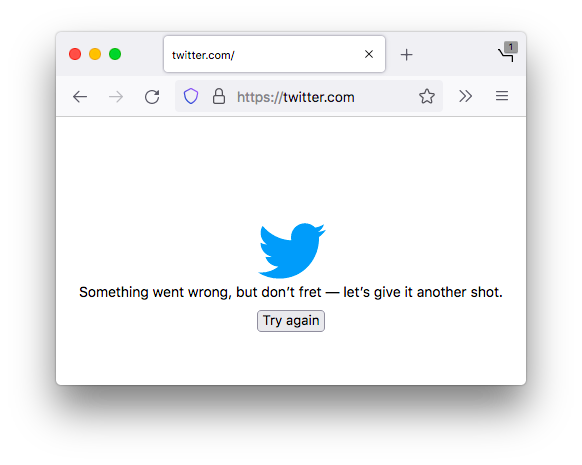
The website version of San Francisco social media site Twitter is seemingly down for users around the world as of Wednesday evening. … users receive an error message: "Something went wrong, but don’t fret — it’s not your fault. Let’s try again."
…
Twitter no longer has a communications department. - https://twitter.com/frankjnovak/status/1608281031240724480:
"If you're seeing the screen below on @Twitter or "Something went wrong, but don't fret" try using:
https://bit.ly/17X6u36 for now. It's working flawless for me. @elonmusk may want to have your peeps recommend it until issues resolved. #Twitter #TwitterError #TwitterDown" @frankjnovak December 29, 2022
Outage 2022-11-22
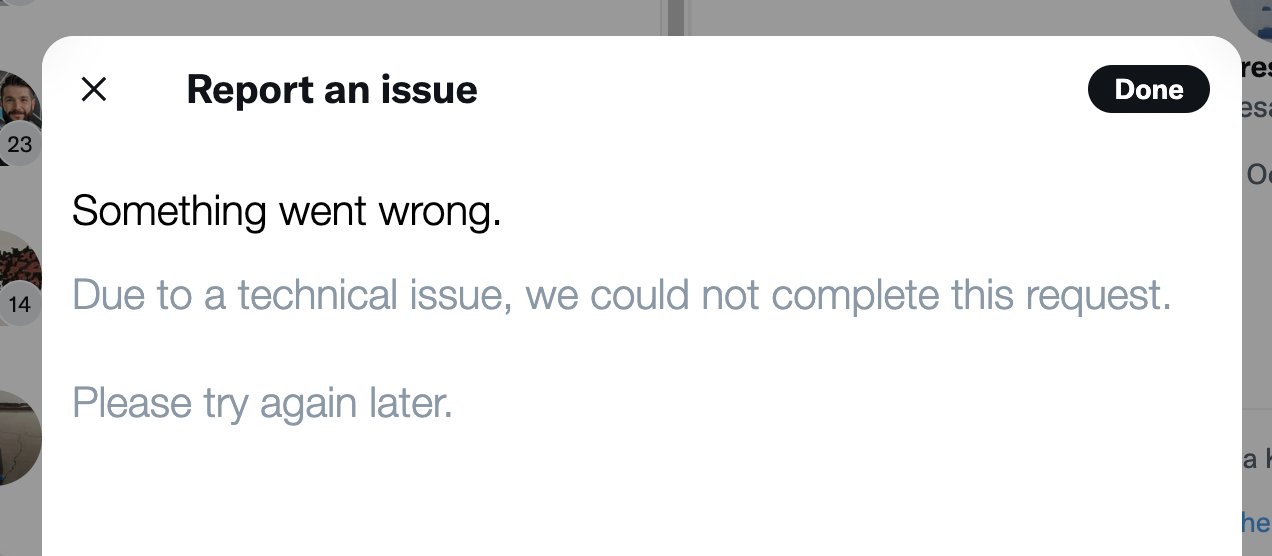
- 2022-11-22 The "report a tweet" tools are consistently throwing a generic error mesage

Outage 2022-03-07
- 2022-03-07 Partial Outage (appears replies are not displaying, yet people can still top post that Twitter is down) https://twitter.com/netblocks/status/1500943867679547394
- "ℹ️ Note: Twitter is currently experiencing outages in multiple countries; incident not related to country-level internet disruptions or filtering #TwitterDown" @netblocks March 7, 2022
Outage 2021-12-01
- 2021-12-01 Outage:

Outage 2020-05-25
- 2020-05-25 Twitter’s updated JS-heavy website is erroring out a lot with:
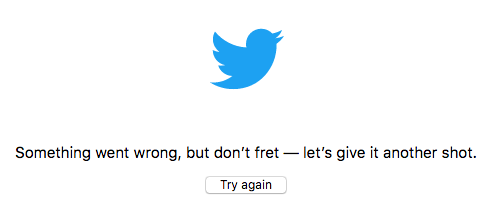
Something went wrong, but don’t fret — let’s give it another shot.

Outage 2013-08-28
- 2013-08-28 Twitter was experiencing DNS issues resulting in missing images and raw html for a number of hours. This is likely due to DNS issues related to the syrian army hacks. The site was nearly impossible to use in its raw html form.
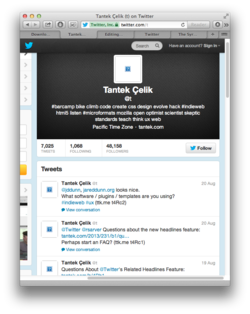

Outage 2012-06-21
Outage 2011
- 2011 downtime or (possibly partial) outage: https://flickr.com/photos/tantek/5641247955/ (note hashbang in permalink URL)
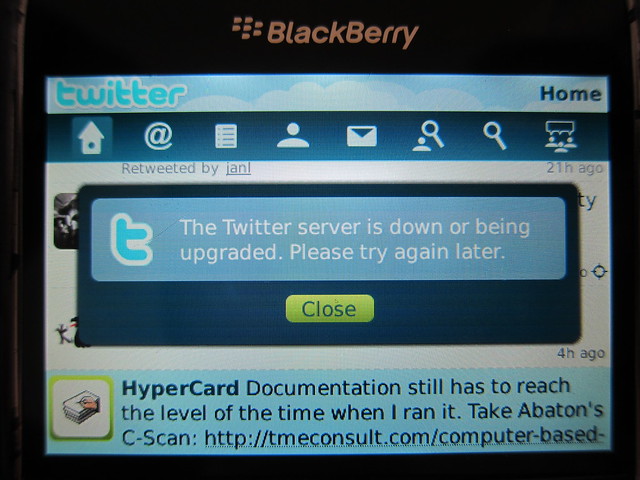
Outage 2010-11-04
- 2010-11-04 "Twitter server is down or being upgraded."
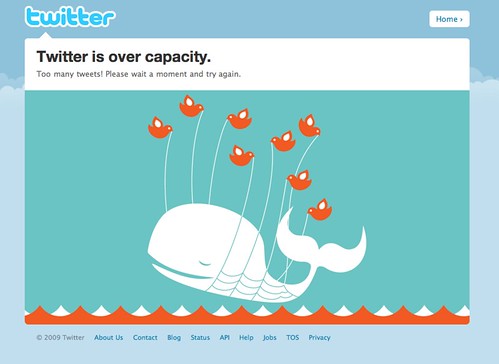
Outage 2009-09-16
- 2009-09-16 "Twitter is over capacity" (AKA failwhale)
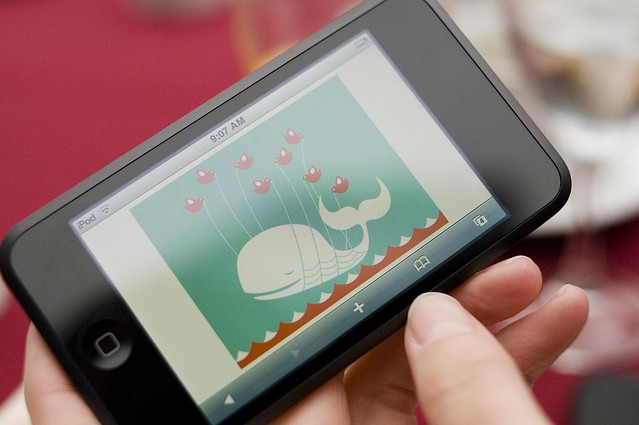
Outage 2008-07-29
- 2008-07-29 fail whale on an iPod Touch:
History
Early User Interface
Twitter's early user interface (circa 2006, before 2006-11-14 since no favorites) was quite simple and minimal:

Retrieved from: [19]
Features
- Simplicity
- Easy to navigate, one click from your stream to someone's profile
- Could opt to see all @-replies, even if you only followed one side of it.
In the early days, half of how I found new interesting people to follow was catching half a conversation and checking out who the other person was.--
 gRegor Morrill on IRC
Lots of UI revisions
Look for #newtwitter and #newnewtwitter
UI 2011
Circa 2011 styling of Twitter stream and tweet permalink:

Ignore the red borders / boxes - those were there to indicate/ask a question about those items.
Showing Arial (presumably on Microsoft Windows) for tweet text in a stream, and Georgia for tweet text on a tweet permalink page.
UI 2014-04
As of 2014-04, Twitter has yet another UI revision, this time nearly cloning Facebook profile pages' look & feel:
https://twitter.com/genmon/status/459257786875265025/photo/1
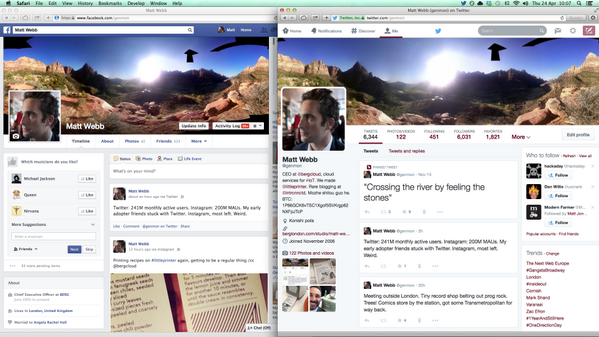
Facebook on the left, new Twitter UI on the right.
If you don't see the image inline above (e.g. only see the text Bl-chggIMAAGyBZ.png) then click on the Twitter link to see it on their site.
2017 Character Limit Increase to 280
In 2017, Twitter slowly rolled out the ability to post a tweet with up to 280 characters. Instead of counting down from 140, the new character counter is a circular progress bar that fills as you approach 280, turning into a countdown at 20 characters remaining.

Additional Resources
Profile Image URLs
Programmatically, the official way to get a Twitter user's profile image is to use the
profile_image_url and profile_image_url_https fields returned by the users/show v1.1 API call. More details.
Unfortunately, those fields are absolute URLs for the *current* profile image, and usually break when the user changes their profile image.
Twitter profile images can also be found by choosing "View Image" on context menu on a profile, those URLs may end with:
- _normal.png - 48px square
- _200x200.png - 200px square
- _400x400.png - 400px square
- or no "_" and just .png - actual uploaded size
You can change any of the above suffixes to any others in order to get a few different sizes.
Avatars IO workaround
avatars.io is an unofficial alternative that serves the current profile picture, eg:
http://avatars.io/twitter/username
Unofficial Twitter image redirect
This unofficial unsupported twitter.com URL used to work well, but now (as of early 2019) redirects to a "not found" page in browsers. It still 302 redirects to the correct image for non-browser fetches though.
https://twitter.com/username/profile_image?size=original
If you omit ?size=original from the former, or replace it with ?size=normal, you get a 48x48 image instead of the original size.
Videos about
Videos about Twitter:
2009-era funny video about Twitter as a phenomenon and the failwhale:
2011-era parody of The Social Network trailer
Brainstorming
How to delete your account
TBD.
Has anyone deleted their Twitter account? What's the process? How long do they hold your data anyway? Etc.
See also: delete your account
Defunct
Tweetcc
As of 2015-12-15, Tweetcc(.)com redirects to a spam blog on Wordpress.com.
Note, tweetcc's creators decided to take it down in July 2013.[20]
We're looking into having tweetcc restored.[21]
You used to be able to use the site http://www.tweetcc.com/ to Creative Commons license your tweets.[22]
This allows anyone else wanting to:
- copy
- quote
- syndicate
Etc. your tweets to do so, per that CC license (e.g. CC-BY, attributing you) independent of Twitter's TOS, and thus independent of any Twitter requirements, e.g. their display-guidelines.
See Also
- silos
- notes
- POSSE
- Screenshots of Twitter web site and app UIs posted to Flickr
- 2007-era prototype personal Twitter clone by Aaron Parecki
- Original Twitter Fan Wiki - lots of early Twitter history
- 2017-11-03 Selina Wang (Bloomberg Technology) Twitter Sidestepped Russian Account Warnings, Former Worker Says / In 2015, a manager discovered a trove of accounts with Russian and Ukrainian IP addresses
- 2017-12-27 NYT: Confessions of a Digital Nazi Hunter
The great irony of this whole affair is that Impostor Buster was doing Twitter’s job for it. The platform has been notoriously prone to abuse since its inception and has struggled to curb it. Rather than asking Twitter to provide a top-down solution, however, we created a bottom-up one.
- 2017-12-19 BuzzFeed: Internal Emails Show Twitter Struggled To Interpret Its Own Verification Rules While Hunting Trolls / Emails suggest that verification was never quite what Twitter said it was and that the company was aware it served as a tacit endorsement long before it admitted so publicly.
- 2018-01-31 New York Times: Twitter Followers Vanish Amid Inquiries Into Fake Accounts
More than a million followers have disappeared from the accounts of dozens of prominent Twitter users in recent days as the company faces growing criticism over the proliferation of fake accounts and scrutiny from federal and state inquiries into the shadowy firms that sell fake followers.
- 2018-01-27 New York Times: The Follower Factory / Everyone wants to be popular online. Some even pay for it. Inside social media’s black market.
… an obscure American company named Devumi that has collected millions of dollars in a shadowy global marketplace for social media fraud. Devumi sells Twitter followers and retweets to celebrities, businesses and anyone who wants to appear more popular or exert influence online. Drawing on an estimated stock of at least 3.5 million automated accounts, each sold many times over, the company has provided customers with more than 200 million Twitter followers, a New York Times investigation found.
- 2018-02-08 @mattsta: …scam reply accounts with the same attributes from twitter botnets (only reply to other bots, all joined Feb 2018, etc). and TWITTER HAS NOT TAKEN IT DOWN… - Criticism: Twitter tolerates bot accounts gaming replies
- 2018-07-20 Criticism: NYTimes Maggie Haberman: Why I Needed to Pull Back From Twitter
Twitter has stopped being a place where I could learn things I didn’t know, glean information that was free from errors about a breaking news story or engage in a discussion and be reasonably confident that people’s criticisms were in good faith.
The viciousness, toxic partisan anger, intellectual dishonesty, motive-questioning and sexism are at all-time highs, with no end in sight. It is a place where people who are understandably upset about any number of things go to feed their anger, where the underbelly of free speech is at its most bilious.
Twitter is now an anger video game for many users. It is the only platform on which people feel free to say things they’d never say to someone’s face. For me, it had become an enormous and pointless drain on my time and mental energy.
- Annoying feature: In case you missed
- 2018-08-10 Andy Baio thread reminiscing on joining Twitter in 2006, comparing to Mastodon 2017 https://twitter.com/waxpancake/status/1027793044500668418 (see thread top for start)
- "It happened before, it can happen again." @waxpancake August 10, 2018
- Criticism by employee: https://twitter.com/jaredgaut/status/1029170702509719552
- "I’ve been a daily user of @twitter for the last 11 years - long before I started working at Twitter. I won’t be a “monthly active user” during the rest of Q3. I’m deleting the @twitter app from all my devices and signing out of all browsers. @jack, thread 👇" @jaredgaut August 14, 2018
- 2018-08-09 WIRED: When Twitter Engineers Speak Out, @Jack Listens
… highly skilled employees within organizations have the chance to be powerful advocates for change …
- 2018-08-15 WaPo: Jack Dorsey says he’s rethinking the core of how Twitter works
…introduced new machine learning software to monitor account behavior and is suspending over a million problematic accounts a day…
- Tweetbot
- 2018-08-20: Locked Out: “Messing with the year of birth in my profile page. This, apparently, is a really bad thing and I can’t currently read anything on Twitter or see other people’s messages to me.”
- https://twitter.com/marcoarment/status/1031319660401184769
- "Twitter-like clone services won’t replace Twitter. “Like Twitter, but worse, and nobody’s on it” is not a compelling sales pitch.
The only way to marginalize Twitter is to direct our attention and publish our content to completely different types of platforms, like blogs." @marcoarment August 19, 2018
- "Twitter-like clone services won’t replace Twitter. “Like Twitter, but worse, and nobody’s on it” is not a compelling sales pitch.
- 2018-08-28 How every cross-posted tweet disappeared from Facebook
- Criticism of focus on bite-size info: https://twitter.com/_jordan_bates/status/1026289173433528320
- "The bite-size nature of information on Twitter is an intractable problem with using the platform
Regardless of how you use it, you're training your brain to salivate for constant milkduds of info from novel sources, sabotaging your ability to focus extendedly on books, etc" @_jordan_bates August 6, 2018
- "The bite-size nature of information on Twitter is an intractable problem with using the platform
- 2018-09-03 WSJ: Inside Twitter’s Long, Slow Struggle to Police Bad Actors / Twitter CEO Jack Dorsey has personally weighed in on high-profile decisions, frustrating some employees
- Why Twitter (and its UI) instead of blogs, Tumblr, etc. https://twitter.com/rahaeli/status/1004716924478132224
- "hello people can you PLEASE fucking stop doing endless variations on "this should have been a post instead of a Twitter thread" when someone chooses Twitter as a platform for a longer thread it is annoying AND ableist AND it's not news to anyone that blog posts exist" @rahaeli June 7, 2018
- Criticism: 2018-08-08 Vox: The problem with Twitter, as shown by the Sarah Jeong fracas
See also: publics.Twitter is weird. A huge amount of what’s written there is metatextual commentary on other tweets intended for a knowing audience reading in a specific moment.
- https://muggedtweets.com/
- 2006-07-05 Original Twttr HTML-only UI: https://www.flickr.com/photos/jackdorsey/182614595/in/photostream/
- Maximum and recommended resolutions for image and video media posts: https://developer.twitter.com/en/docs/media/upload-media/uploading-media/media-best-practices.html
- At least since 2019-04-26, exports contains much more: including followers, DMs, photos, videos, and account suspension times.
- View tweet video MP4: http://twittervideodownloader.com/
- https://twitter.com/jackyalcine/status/1145214524007616512
- "Do y’all understand how easy it is to make a fake tweet from a screenshot? Like by inspecting the browser and changing the text? It’s like MySpace-day levels of “simple”. I don’t trust posts I can’t search up on archives. And if you do have a link… https://v2.jacky.wtf/post/1dd1f023-a54e-4d6e-bb36-1f716a3836a1" @jackyalcine June 30, 2019
- Fake Is Easy, Back Up Your Words With Hyperlinks
- https://www.buzzfeednews.com/article/alexkantrowitz/how-the-retweet-ruined-the-internet
- Two different Twitter download files? https://twitterdevfeedback.uservoice.com/forums/922918-twitter-for-academic-research/suggestions/38177848-twitter-archive-download
- Detecting and disclosing state-backed coordinated inauthentic behavior: 2019-08-19 Twitter Blog: Information operations directed at Hong Kong
- Examples of how to own your tweets: https://twitter.com/zachleat/status/1171421627650887681
- "trying to own my twitter content and host my tweets on my personal web site and I accidentally built a very fast HTML-first twitter client—oops
(alt: an example of how a thread renders)" @zachleat September 10, 2019
- "trying to own my twitter content and host my tweets on my personal web site and I accidentally built a very fast HTML-first twitter client—oops
- Twitter admits email address and phone number given for security purposes was used for targeted ads https://reclaimthenet.org/twitter-emails-phone-number-advertising-privacy/
- Potential 2020 Features (from Twitter’s VP of Design & Research) https://twitter.com/dantley/status/1191593335837712384
- "Features that I’m looking forward to in 2020.
- Remove me from this conversation
- Don’t allow RT of this tweet
- Don’t allow people to @mention me without my permission
- Remove this @mention from this conversation
- Tweet this only to: hashtag, interest, or these friends" @dantley November 5, 2019
- "Features that I’m looking forward to in 2020.
- criticism regarding change in URLs for avatars circa 2019-11 https://twitter.com/vboykis/status/1194067698176659457
- "I can forgive Twitter for stuff like,,,destroying the free world and inciting cancel culture, but I cannot forgive it for taking away the direct link to my profile picture, because I used that link all the time for speaking bios." @vboykis November 12, 2019
- criticism about reassignment about usernames (and identities) https://twitter.com/0xabad1dea/status/1199496236719640576
- "If you know anyone on twitter who’s passed on, it might be time to unfollow their account — because as painful as that might be, seeing their username snapped up by a spambot will be worse. https://twitter.com/verge/status/1199425300821684224" @0xabad1dea November 27, 2019
- Now with 2FA that doesn't require a phone number! https://twitter.com/TwitterSafety/status/1197621020229804054
- "We're also making it easier to secure your account with Two-Factor Authentication. Starting today, you can enroll in 2FA without a phone number." @TwitterSafety November 21, 2019
- https://twitter.com/erinbiba/status/1204583763826614275
- "It's awful that Twitter requires you to report every horrific tweet. On a viral tweet it means you have to basically sit for hours trying to read through every single reply and quote tweet. It's emotionally and phsyically exhausting but if you don't do it, twitter does nothing." @erinbiba December 11, 2019
- If you want to Internet Archive a tweet, copy the long number (tweet ID) and stick it on the end of this: https://web.archive.org/save/https://twitter.com/intent/tweet?in_reply_to=
- Downtime: 2020-02-07 Twitter was broken, and it was great
- Criticism: 2018-08-17 Derek Powazek on Medium: Why I Quit Twitter, a List — documents many problems with Twitter, useful from a design perspective of problems to avoid when building any site with community interaction, including comments/responses on your own site!
- Why: https://twitter.com/generativist/status/1234534193205374977
- "Hometown friend: "Wait, you have 17,000 followers? How?!"
Me: "Know how I often get really excited about things and talk about them for several minutes before someone says, 'okay, I get it,' to politely ask that I stop?"
Friend: "Yea?"
Me: "On twitter, no one asks me to stop."" @generativist March 2, 2020
- "Hometown friend: "Wait, you have 17,000 followers? How?!"
- https://www.cheribaker.com/twitter-gets-squeezed/
- https://twitter.com/hedonometer/status/1266774310565425154
- "Yesterday was the saddest day in the history of @Twitter" @hedonometer May 30, 2020
- https://blog.twitter.com/engineering/en_us/topics/insights/2017/using-deep-learning-at-scale-in-twitters-timelines.html
- “People spend their days on Twitter because it helps their work, their profile, their social networks, friendship groups, love lives, or a combination of all of the above. In exchange, they must be ready for the possibility that they can be thrown to the wolves at a moment’s notice.” https://thecritic.co.uk/issues/july-august-2020/the-eye-of-the-storm/
- Criticism: early acknowledgment of distraction problems: 2010-07-16 NYT: Tweet Less, Kiss More
- https://nitter.net/ provides RSS feeds for individual users' Twitter accounts
- https://twitter.com/AtokNiiro/status/1292279430199431168
- "Don't want Twitter to crop your images in the preview?
Use these aspect ratios:" @AtokNiiro August 9, 2020
- "Don't want Twitter to crop your images in the preview?
- mobile signup flow as of 2020-08-31 https://tinysubversions.com/notes/twitter-usernames/
- Criticism: Re-assigning unused usernames per 2019-11-19 WIRED: A Flawless Twitter Dunk 12 Years in the Making / Twitter says it will soon redistribute inactive account handles. Just don't come for @flawless.
- ^ a year later, the supposed viral tweet was silenced by Twitter because of the "flawless" account being suspended: https://twitter.com/flawless/status/1199437832730894337
- ^ "This Tweet is from a suspended account. Learn more"
- https://techcrunch.com/2021/01/15/twitters-vision-of-decentralization-could-also-be-the-far-rights-internet-endgame/
- criticism of moderation due to misinformation https://hapgood.us/2021/01/21/twitter-should-cancel-the-appeals-process-or-make-it-work-also-im-in-twitter-jail-in-case-youve-missed-me/
- https://twitter.com/TwitterSupport/status/1371235587718582274
- "A number of accounts that Tweeted the word “Memphis” were temporarily limited due to a bug. It’s been fixed and the accounts have now been restored. We’re sorry this happened." @TwitterSupport March 14, 2021
- ^ screencapture video on mobile of doing this: https://twitter.com/JonDBarker/status/1371359686189068289
- "" @JonDBarker March 15, 2021
- ^ Hacker News post about Memphis banning, and the bots that got snared: Tweeting “Memphis” autolocks your Twitter account
- tweetstamp
- https://www.theatlantic.com/ideas/archive/2021/07/twitter-addict-realizes-she-needs-rehab/619343/
- Criticism: 2021-06-16 iNews: Twitter turned Chrissy Teigen into a malicious troll – and it could turn you into one too
Human beings cannot cope with Twitter. The endless scroll required to maintain a good-sized account is ruinous to the mind, let alone anything more intense – ask any neuroscientist. Twitter is effectively a livestream binfire of brain synapses.
- Criticism: suspends (especially new) accounts without a linked phone number: https://twitter.com/captn3m0/status/1451890982031482884
- "Stop suspending accounts without a linked phone number, thank you." @captn3m0 October 23, 2021
- 2009-08-14 Kevin Marks: How Twitter works in theory
- Reply downvotes feature: 2022-02-04 Washington Post:Twitter got a ‘downvote’ button. Here’s what happens if you click it. / Can other people see your downvotes? How will this affect your timeline?
- https://opml.glitch.me/ A Glitch project that will get websites and RSS Feeds of the people you follow on Twitter, so you can import the OPML-file with your favorite feedreader. (May be helpful for those leaving Twitter so they can follow the sites of people they followed there.)
- Criticism: 2022-04-06 The Verge: Twitter change leaves huge gaps in websites / Embedded tweets later deleted now show a blank box
- “Twitter, like many technology companies, fell into the classical trap by thinking that they, the technologists, were the innovators. Technologists today are almost never innovators, but rather plumbers who build pipelines to move ideas in the form of data back and forth with varying efficacy. Users are innovators, and its users that made Twitter unique.”
- Criticism: Twitter gave your phone number to advertisers: 2022-05-25 NPR: Twitter will pay a $150 million fine over accusations it improperly sold user data
… until at least September 2019, Twitter was also using that information to boost its advertising business by allowing advertisers access to users' phone numbers and email addresses …
- New Feature: Super Follow
- Criticism: repeatedly suspends people who actually openly discuss how they’re being harassed & threatened! Thread: https://twitter.com/stealthygeek/status/1561884846791737344
- "Hi y'all!
I'm back after two days on my 6th permanent Twitter suspension.
Yeah, you read that right. My account has been "permanently suspended" by @twitter SIX. FUCKING. TIMES.
Might be a record, honestly.
Each time I have been maliciously reported by literal criminals. 1/" @stealthygeek August 23, 2022
- "Hi y'all!
- https://www.theverge.com/23327809/twitter-onlyfans-child-sexual-content-problem-elon-musk long report about Twitter's inability to protect users, attempts to implement a OnlyFans alternative and notes on what NOT to do regarding trust and safety for a platform
- New feature Circle: 2022-08-31 Mashable: Twitter is lighting up with Circle memes
- 2022-10-27 WaPo: Elon Musk closes Twitter deal and fires top executives / Musk’s $44 billion deal to acquire the social media company closed on Thursday night
The top executives were hastily escorted out of the company’s San Francisco headquarters.
- https://adrianroselli.com/2021/01/bulletproofing-embedded-tweets.html
- a thread about data collection practices with the native applications of Twitter https://archive.ph/EKLCB
- https://github.com/timhutton/twitter-archive-parser a tool to parse your archive
- Be aware that exports do not mark content from Circles differently to other tweets, so when migrating you may end up making previously private content public: https://indieweb.social/@philhawksworth/109353365961680480
- "If like me and many others, you're in the process of moving your tweets to a new home on your own site, a word of caution:Tweets to twitter circles are not labelled as such in the export, so be aware of the risk of making public what you might have intended for a trusted group" @philhawksworth November 16, 2022
- exporting follower data https://listfollowers.com/
- 2009 logged in home screen design: https://twitter.com/stop/status/1594046450723192833
- "For posterity, here’s a screenshot of Twitter’s home timeline after creating a brand new test account during my first week there in 2009. I went looking for this to recall the name of the Everyone timeline. I have a whole folder of these from an audit I did that week." @stop November 19, 2022
- ^

- How to export: be sure to unfurl your t.cos in your archives when you receive them since the t/.co domain will likely stop working when Twitter shuts down: https://inkdroid.org/2022/11/20/t-dot-co/
- A Twitter archive project for Eleventy https://github.com/tweetback/tweetback
- https://twitterisgoinggreat.com/
- Article about archiving tools for saving and using your Twitter data: https://bavatuesdays.com/archiving-twitter/
- https://www.movetodon.org/ a tool for migrating from Twitter to Mastodon which allows you to check your followers on Twitter to follow them individually or in bulk on Mastodon.
- The Internet Archive is accepting your downloadable Twitter Archive for uploading to their site: https://help.archive.org/help/how-to-archive-your-tweets-with-the-wayback-machine/
- Archival copy of Tweets on your own site https://boffosocko.com/2016/12/05/how-to-own-display-your-twitter-archive-on-your-website-in-under-10-minutes/ (@chrisaldrich December 5, 2016)
- In-browser tool for turning your ~2022 twitter archive ZIP into an archive you can drop on a web server to get tweet search and archive permalinks (example). Doesn’t currently seem to support also showing a paginated feed of tweets Make your own simple, public, searchable Twitter archive (tinysubversions.com)
- A plugin for putting one's Twitter archive on their WordPress-based website: https://github.com/shawnhooper/twitter-archive-to-wp
- Criticism: 2023-01-05 How Twitter misleads us about how many people have left — and what to do about it / Social feeds are engines for distorting social understanding. Here’s how to push back against the algorithm.
Social media feeds are designed to mislead us about the opinions and behaviors of the people in our lives
- Feature removal: 2023-01-31 Cotweets dropped: Twitter is shutting down its CoTweets feature immediately / If you're reading this, it's already too late to post a CoTweet.
- Criticism: unverified paid Twitter Blue accounts being used to spread disinformation: https://infosec.exchange/@JosephMenn/109909077981714944
- "Russian propagandists are buying Twitter’s new blue checks, giving their lies about Ukraine more prominence. A dozen are tweeting in English, reaching millions. Gift link: https://wapo.st/3m2enaY" @JosephMenn February 22, 2023
- Criticism: 2019-10-09 ArsTechnica: Twitter transgression proves why its flawed 2FA system is such a privacy trap / Twitter 2FA is every bit as bad as critics said it was. Site signals a change is coming.
… [Twitter] used phone numbers and email addresses provided for 2FA protection to tailor ads to users.
- Inactive Account policy: "be sure to login at least every 30 days" https://help.twitter.com/en/rules-and-policies/inactive-twitter-accounts
- Why: for reaching others via DM: https://omfg.town/@dansinker/110397397474067798
- "I absolutely abhor the current state of Twitter, but the reality is if I need to reach someone, especially via DM... there's no better option. Frustrating, but also, a necessity." @dansinker May 19, 2023
- Why keep your account: to avoid having someone else claim it and receive DMs meant for you: https://omfg.town/@glennf@twit.social/110397465985412267
- Introducing tweetus-deletus 🐦🪄💀 - a tool to automate deleting your tweets, through the browser
- Criticism: amplifies posts about violence 2023-10-05 Bloomberg: The Moral Case for No Longer Engaging With Elon Musk’s X / The former Twitter is incentivizing violent content, which will only become worse to stand out to users.
- 2006 UI demo by Jack Dorsey (video): https://www.instagram.com/reel/C1IcNm4PatI/
- 2020-08-31 Darius Kazemi: On Twitter usernames with lots of numbers has screenshots of Twitter’s mobile sign-up circa 2020, as well as some reasons for the origins of so many "FirstName BunchOfNumbers" accounts.
- Permalink embed hack: change "twitter." in the URL to "fxtwitter." before embedding / sharing and it will embed a much friendlier (no cookies) version.